

Compare prices for MSI MSI G274QPF Monitors
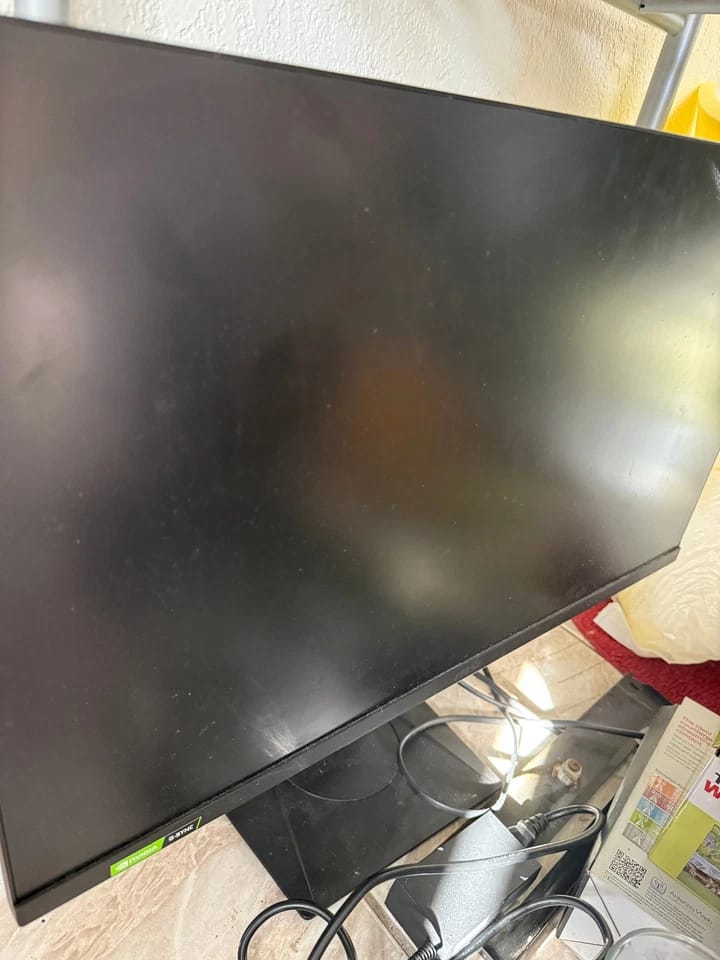
MSI G274QPF Monitors New
MSI4.84.8(83)
$179.99
Condition
Comparison
0 sellers & 2 platformsNo merchants match the selected platforms.
Specifications
G Series
MSI
Gaming
Laptop, Desktop, Gaming Console
Rectangular
G Series
MSI
Gaming
Laptop, Desktop, Gaming Console
Rectangular
Reviews & Ratings
(11)4.6
11 reviews
👍 Pros
👎 Cons
Display Quality
4.0
80%
MiniLED with 1000 nits, deep blacks, vibrant colors near OLED. Calibration required for best results; initial blooming but mitigated. Some users report poor color accuracy.
Display Quality
4.0
80%
MiniLED with 1000 nits, deep blacks, vibrant colors near OLED. Calibration required for best results; initial blooming but mitigated. Some users report poor color accuracy.
Performance
4.5
90%
300Hz refresh rate, smooth for gaming. Local dimming enhances dark scene detail. Noticeably better than 180Hz predecessor.
Performance
4.5
90%
300Hz refresh rate, smooth for gaming. Local dimming enhances dark scene detail. Noticeably better than 180Hz predecessor.
Design & Appearance
4.0
80%
Standard 27-inch black monitor with slim bezels. No standout design features but functional and clean. No reported issues.
Design & Appearance
4.0
80%
Standard 27-inch black monitor with slim bezels. No standout design features but functional and clean. No reported issues.
Ease of Use
2.5
50%
Requires extensive calibration (up to 2 weeks). Many settings to tweak; not plug-and-play. Out-of-box experience is decent but needs fine-tuning.
Ease of Use
2.5
50%
Requires extensive calibration (up to 2 weeks). Many settings to tweak; not plug-and-play. Out-of-box experience is decent but needs fine-tuning.
Value for Money
4.5
90%
Excellent value at the price point. Beats competitors like TCL in both refresh rate and cost. Highly recommended for budget-conscious gamers.
Value for Money
4.5
90%
Excellent value at the price point. Beats competitors like TCL in both refresh rate and cost. Highly recommended for budget-conscious gamers.
Keywords
User Voices
Z
5.0BESTBUYMay 17, 2026Zergilli
For the price, hard to beat
Just like others have mentioned, this monitor takes a bit of patience to calibrate. It took me about two weeks of tweaking to get it just right. I ended up with these settings: Premium Color mode, User, brightness at 1000 nits (the other option is 400), Brightness Uniformity off, Sharpness between 0–2 (usually 1), Halo Dimming between 94–98, Local Dimming at level 3, and Image enhancement set to Weak. It won't give you the absolute brightest picture, but you'll get great detail with zero blooming.
Don't forget to go into Windows display settings and crank up the refresh rate to 300Hz so the monitor actually runs at full speed.
After that, it looks incredible. I can definitely feel the difference in smoothness compared to my old 1440p MSI with 180Hz – I honestly didn't expect to notice, but I do.
For dark games like Dragon's Dogma 2 or Dead By Daylight, the local dimming reveals so much more detail. Dead By Daylight in particular looks vastly better. There was some initial blooming in bright scenes (I noticed it in Warcraft 3) because this monitor is way brighter than my last one (1000 nits vs 400 nits), but once you dial in the settings, it completely disappears. If you play a lot of dark-scene games like Resident Evil or Dragon's Dogma, this is a fantastic choice. Some folks compare it to OLED, and I'd say it's like an off-brand or diet-OLED – and I'll take that any day over worrying about burn-in, especially since I mainly play RTS games like Warcraft 3 and StarCraft II.
I gave it 5 stars because of the price. For this kind of money, you won't find a better monitor. The only other one I considered was the TCL version, which has a lower refresh rate and costs more. I stuck with MSI, and they've never let me down. One of my favorite brands.
P
5.0BESTBUYMay 17, 2026PixelPunk42
For the price, hard to beat
Just like others mentioned, calibrating this monitor takes some patience. I spent about two weeks tweaking it until I found the sweet spot: Premium Color, User mode, brightness at 1000 nits (the other option is 400), Brightness Uniformity off, Sharpness between 0 and 2 (usually 1), Halo Dimming at 94–98, Local Dimming at level 3, and Image Enhancement on Weak. These settings aren't the brightest possible, but they give great detail with zero blooming. Also, don't forget to go into Windows display settings and bump the refresh rate to 300Hz to actually use it. Once dialed in, it looks fantastic. The 300Hz refresh is noticeably smoother than my previous 1440p MSI monitor at 180Hz—I didn't think I'd see a difference, but I definitely can. Dark games like Dragon's Dogma 2 and Dead by Daylight show way more detail thanks to the local dimming, especially in Dead by Daylight. At first, bright scenes in Warcraft 3 had some blooming because of the jump from 400 to 1000 nits, but after calibration it's completely gone. If you play dark, atmospheric games like Resident Evil or Dragon's Dogma, this monitor is a beast. Some compare it to OLED, and I'd call it a diet-OLED—great without the burn-in risk, especially for RTS games like Warcraft 3 or StarCraft 2. I give it a 5/5 for the price. At this price point, nothing beats it. The only other option I considered was the TCL version—lower refresh rate and more expensive. I stuck with MSI, and they've never let me down. One of my favorite brands.